
如何判断给定地址的NBT数据类型
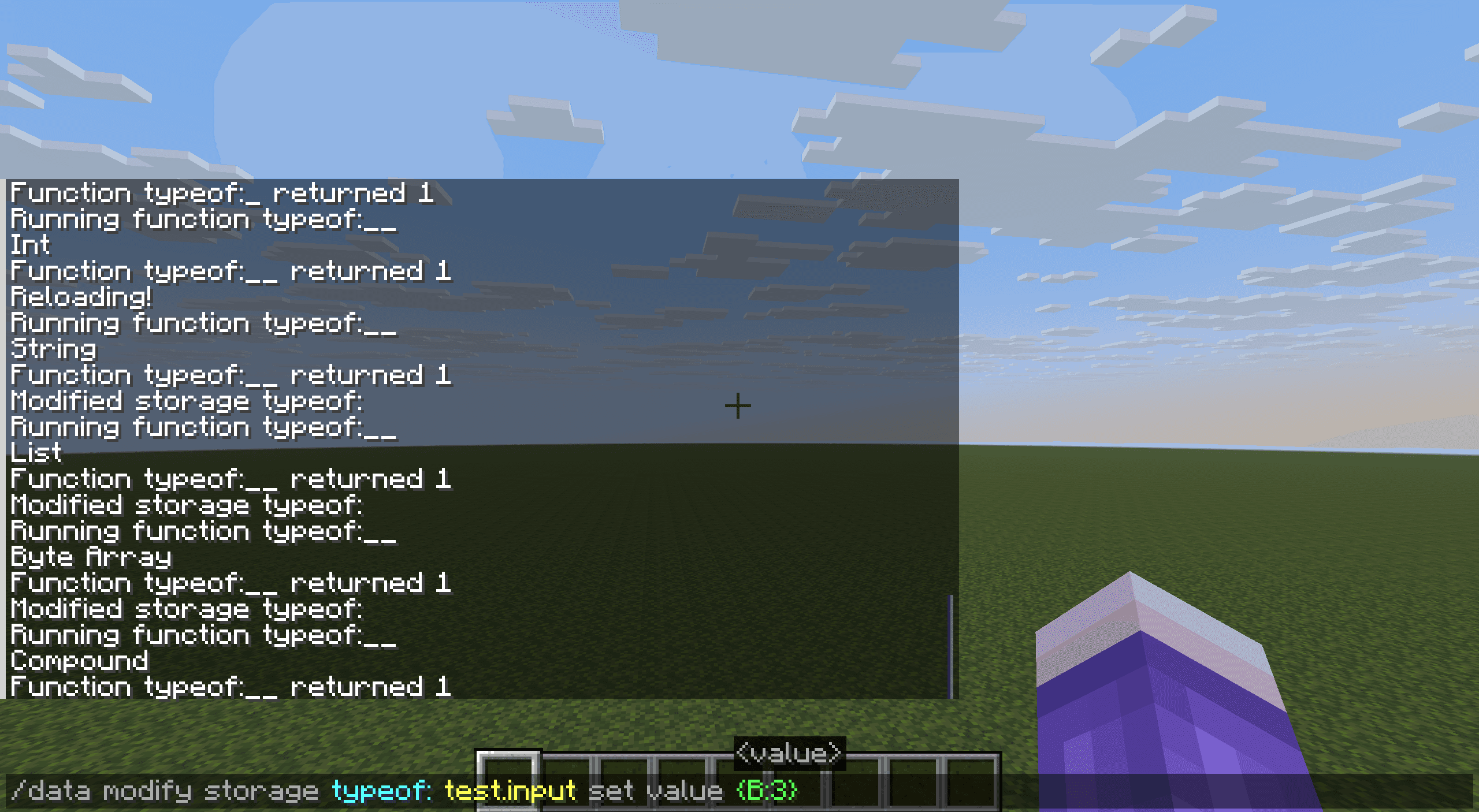
引言
作为一种类型化语言(具体来说是动态类型语言),由于mcfunction的隐式类型转换实在不算少(例如列表、字符串和复合标签在被提取至返回值时都会进行隐式转换,且含义不同),NBT数据的正确利用非常依赖对数据类型的正确认知。
然而,mcfunction并没有原生提供数据类型的判别和获取机制。这就向我们提出了一个问题:
给定一个NBT地址,输出该NBT地址存放的数据类型。
一、列表尝试追加法(已过期)
这一部分的方法由巨佬@小豆8593提及,仅适用于1.21.5之前的版本。
1.21.5版本(具体来说是快照25w09a)之前,列表类型只支持同型列表,即列表内所有元素都必须具有相同的数据类型。
该限制是强制性的:尝试向列表类型添加具有不同数据类型的元素会直接失败,不会进行任何隐式转换。
这一行为与数组(字节型、整型、长整型)不同,后者尽管也只支持单一数据类型,但在数值上还是会进行隐式转换。如以下示例:
data modify storage test: t0 append value 132.45d若NBT路径 storage test: t0 存放的是一个整型数组 [I;] ,则数据会首先隐式转换为整型132再以整型存入整型数组;
若是字节型 [B;] ,则还将进一步截取为字节型数据得 -124b 。
但如果此处放置了任意一个已有非double类型元素的普通列表(如 [12.44f] ),则append操作会直接失败,失败理由是“没有变化,选定的区域已经有这些数据”。
(data指令的老问题了,无论事实上是因为什么原因modify失败都会显示这个错误的错误信息。)
因此,该问题的解决方案就十分简单了:取一些列表,将目标项尝试追加到该列表中并记录返回值,若返回状态为成功则得到该项的类型。参考实现如下:
data remove storage typeof: test.target
execute unless data storage typeof: test.input run return run tellraw @s {"text":"Null"}

data modify storage typeof: test.target set value [0]
data modify storage typeof: test.target append from storage typeof: test.target
execute unless data storage typeof: test.target[1] run return run tellraw @s {"text":"Int"}

# 重复以上3行。重复段第一行的value分别换为[0b]、[0s]、[0l]、[0f]、[0d]、[[]]、[[B;]]、[[I;]]、[[L;]]、[{}]、[""],分别测试即可。
二、SNBT解析法(需要实体)
该方法适用于1.19.4及以后至今的版本,需要一个文本展示实体。
区分NBT数据类型的一个重要方式是通过SNBT转换,转换后的SNBT文本中可以清晰地看到后缀等类型标记。1.19.4的字符串切片功能意味着,只要能够获得目标项的SNBT文本,就可以完成类型区分。
而在哪里能够取得纯文本类型的SNBT字符串呢?文本组件解析是一个方案(理论上取命令方块的LastOutput也可做,但由于data get命令的呈现结果是彩色的SNBT,底层文本组件相对复杂,不易取得需要的数据)。
对storage内容的文本解析可由告示牌、成书(首次打开)、boss栏标题、文本展示实体等方式完成,但其中能自动化运行且能完整取回解析后文本的只有文本展示实体。
由NBT地址项解析的文本组件将会是纯文本(完整字符串)形式的SNBT格式表示(除非源地址NBT是字符串,此时解析的文本组件为源字符串的直接拷贝)。
不过字符串也不难办,在外面再套一层列表(仅一个元素)即可保证所有类型的数据都以SNBT形式进行解析,只要别忘了在取字符的时候往内多走一位。
取得SNBT格式字符串后,我们主要关注其最后一个字符,通过该字符我们能够区分大部分类型:
}对应复合标签'"对应字符串b对应字节型数值s对应短整型数值l对应长整型数值f对应单精度浮点数值d对应双精度浮点数值0..9对应整型数值(也可排除法)]对应列表或数组,需要进一步取字符串前3个字符进行区分:[B;对应字节型数组[I;对应整型数组[L;对应长整型数组- 否则,对应列表
函数实现如下:
execute unless data storage typeof: test.input run return run tellraw @s "Null"

data remove storage typeof: test.target
data modify storage typeof: test.target append from storage typeof: test.input
summon text_display 0 0 0 {Tags:["typeof_temp_resolution"],text:{storage:"typeof:",nbt:"test.target"}}
data modify storage typeof: test.string set from entity @e[type=text_display,tag=typeof_temp_resolution,limit=1] text
kill @e[type=text_display,tag=typeof_temp_resolution]

data modify storage typeof: test.suffix set string storage typeof: test.string -2 -1
execute if data storage typeof: test{suffix:'b'} run return run tellraw @s "Byte"
execute if data storage typeof: test{suffix:'s'} run return run tellraw @s "Short"
execute if data storage typeof: test{suffix:'l'} run return run tellraw @s "Long"
execute if data storage typeof: test{suffix:'d'} run return run tellraw @s "Double"
execute if data storage typeof: test{suffix:'f'} run return run tellraw @s "Float"
execute if data storage typeof: test{suffix:'"'} run return run tellraw @s "String"
execute if data storage typeof: test{suffix:"'"} run return run tellraw @s "String"
execute if data storage typeof: test{suffix:'}'} run return run tellraw @s "Compound"
execute unless data storage typeof: test{suffix:']'} run return run tellraw @s "Int"

data modify storage typeof: test.prefix set string storage typeof: test.string 1 4
execute if data storage typeof: test{prefix:'[B;'} run return run tellraw @s "Byte Array"
execute if data storage typeof: test{prefix:'[I;'} run return run tellraw @s "Int Array"
execute if data storage typeof: test{prefix:'[L;'} run return run tellraw @s "Long Array"

return run tellraw @s "List"
三、宏解析法与其局限性
1.20.2更新的函数宏也是SNBT格式数据的一个来源,同样,在外层套一个列表可以保证测试项总是以SNBT格式加载。
但由于转义问题,如果测试项中含有字符串则无法将以宏形式取出的SNBT写法通过data存入字符串(若用双引号括起则一定会出现初始化错误,用单引号则当字符串内有引号转义时会出现错误)。
因此,相比有实体的方法,该方案不能分辨:字符串、复合标签(里面可能有字符串)、列表(里面可能有字符串)。
四、其他杂项识别
如果确实希望使用上文的宏解析法制作无实体的类型识别,则需要对字符串、复合标签和普通列表进行单独判断。以下提供一些识别方案:
4.1 复合标签
data modify <source> merge from <target>命令要求<source>和<target>均为复合标签才能成功,但由于无法避免<source>和<target>完全相同导致失败的特殊情况,该方案不算很好。data modify <source>.<path> set value <val>命令要求<source>为复合标签才能成功,但由于无法避免<source>内已有{<path>:<val>}项,该方案也不是很好。- 只有复合标签可以被作为参数使用
function命令传入另一函数,否则失败。该函数并不一定需要接收参数,因此函数内放置一条始终成功的命令(如return 1)即可保证测试项为复合项时操作必定成功。 - 不过,最方便的区分方法就是用
execute if data <path>{},该命令在<path>为复合标签时一定得到1,否则得到0。
4.2 普通列表
execute if data <path>[],该命令在<path>为空列表时也得到0,因此不是好的检测方式。- 只有普通列表可以通过append追加一个非数值元素(例如
{}、[]、""),通过该方式可直接完成筛选。
4.3 字符串
data modify <source> set string <target>命令要求<target>必须为数值(自动转化为字符串)或字符串类型,否则失败。若数据符合要求,从中取下标从0到0的子串的操作必定成功。- 结合上一条,在已经区分出数值或字符串的情况下,只有数值能够成功追加到一个数组中,也只有数值能在通过宏传入并使用双引号包围的情况下成功解析。这样可以排除法判断出字符串。
4.4 杂项识别与宏识别的综合
基于以上方案的组合,以下函数也可以识别全部类型,而无需一个实体。
函数1
data remove storage typeof: test.target
execute unless data storage typeof: test.input run return run tellraw @s "Null"
execute if data storage typeof: test.input{} run return run tellraw @s "Compound"

data modify storage typeof: test.target append from storage typeof: test.input
execute store success storage typeof: test.success byte 1 run data modify storage typeof: test.target[0] append value []
execute if data storage typeof: test{success:1b} run return run tellraw @s "List"

execute store success storage typeof: test.success byte 1 run function 函数2 with storage typeof: test
execute if data storage typeof: test{success:0b} run return run tellraw @s "String"

data modify storage typeof: test.suffix set string storage typeof: test.string -2 -1
execute if data storage typeof: test{suffix:'b'} run return run tellraw @s "Byte"
execute if data storage typeof: test{suffix:'s'} run return run tellraw @s "Short"
execute if data storage typeof: test{suffix:'l'} run return run tellraw @s "Long"
execute if data storage typeof: test{suffix:'d'} run return run tellraw @s "Double"
execute if data storage typeof: test{suffix:'f'} run return run tellraw @s "Float"
execute unless data storage typeof: test{suffix:']'} run return run tellraw @s "Int"

data modify storage typeof: test.prefix set string storage typeof: test.string 1 4
execute if data storage typeof: test{prefix:'[B;'} run return run tellraw @s "Byte Array"
execute if data storage typeof: test{prefix:'[I;'} run return run tellraw @s "Int Array"
execute if data storage typeof: test{prefix:'[L;'} run return run tellraw @s "Long Array"

return run tellraw @s "Unknown"
函数2
$data modify storage typeof: test.string set value "$(target)"
return 1